
 Free · No download · Plays in your browser







About Obby: Paint My Keyboard
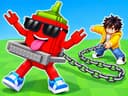
Obby: Paint My Keyboard is an idle-style 3D casual game where you paint keys, collect coins and grow a tiny keyboard into a much bigger, colorful setup. Your painted keys generate coins automatically, and you spend those coins on new paints, faster tools, and extra rows and sections to expand the keyboard.
How painting and coin generation work
Approach an unpainted key to color it. Once painted, keys produce coins on their own, so the game rewards steady coverage rather than one-off actions. Those coins are the main currency for unlocking different paints, improving painting speed and buying new areas of the keyboard to paint.
Growing your keyboard: rows, sections, and expansions
Expansion is the progression loop. Buying additional rows and sections increases how many keys you can paint, which in turn raises your passive coin income. New paints are unlocked with coins and may be used to change the look of keys as you expand. Upgrades to your tools speed up how quickly you can paint new keys, letting income scale faster.
Obby: Paint My Keyboard Controls
On desktop, move with WASD or the arrow keys and use the mouse to control the camera. On mobile devices, use the on-screen joystick and touch controls. In both cases, walk up to unpainted keys to color them, then collect the coins they generate and spend them on paints, tool upgrades, and keyboard expansions.
Practical strategy: paint efficiently and upgrade wisely
Prioritize upgrades that increase painting speed first, since faster painting turns into more painted keys and thus more passive coins. Buy expansions that add contiguous rows you can cover quickly, rather than scattered single keys, so your tool upgrades apply to many keys in short order. Unlock new paints when you have spare coins, but focus spending on the tools and sections that grow income; paints change appearance, upgrades grow earnings.
You can play Obby: Paint My Keyboard online for free; it runs right in the browser with nothing to download, and Yup7 has many more free games. Find more in the Skill Games collection on Yup7.
Questions Players Ask About Obby: Paint My Keyboard
Is the game free?
Yes, the game is free to play.
Which devices does it work on?
It plays in the browser on computers, Chromebooks, tablets and phones.
How do I make progress fastest?
Focus on painting more keys each session by buying tool upgrades and expansions that let you cover many keys quickly; that raises passive coin income so you can afford more upgrades.
Does it require fast reactions?
The loop is more about movement and upgrade choices than twitch reflexes, since painted keys produce coins automatically once they are colored.